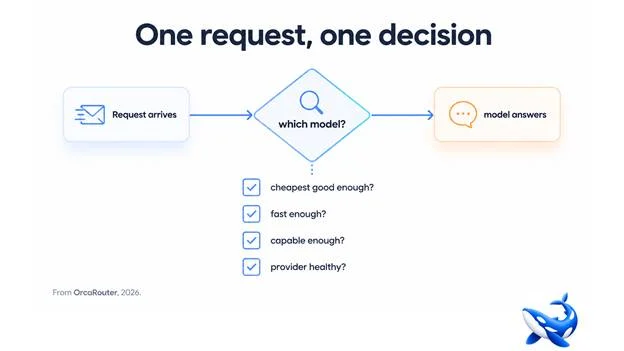
An AI router looks like a simple proxy from the outside — you send a request, a model answers. Inside, a decision is being made on every request, and that decision is what turns a single API into something smarter than a tunnel to one vendor. OrcaRouter is one platform built around this pattern; understanding the decision is how you configure a router well.
Step one: the request arrives
Your application sends a request to the router’s endpoint — an OpenAI-compatible one, so your existing client works unchanged. The request carries the prompt, the parameters, and any hints the router can use: which model the caller wants, which task the request belongs to, or just “give me the best answer within this budget”.
Step two: the pool
The router knows the models you have configured — the vendors, the model IDs, the prices, the latency characteristics, and the current health of each provider. It does not route blindly; it routes against a live picture of what is available and what each option costs.
Step three: the decision
For each request, the router applies your routing rules. The common dimensions, in rough priority order:
Is the cheap option good enough? For tolerant workloads — extraction, classification, summarising supplied text — the router can default to a cheaper model and only escalate when the task needs more. This is where the cost savings come from, and it is the rule most teams set first.
Is it fast enough? For user-facing work, time-to-first-token matters more than a few index points. The router can prefer the model with the best latency under current load.
Is it capable enough? For hard reasoning, code, or complex agent steps, the router can force the request to the strongest model in the pool regardless of price. Capability rules override cost rules when configured that way.
Is the provider healthy? If the preferred provider is down, rate-limiting or returning errors, the router fails over to the next healthy option automatically. Your users never see the outage.
The decision can be a simple ordered list (try X, fall back to Y, then Z) or a richer rule set (cheapest by default, this specific model for this specific task type, this budget per team). Most teams start with the simple version and add rules as they see real traffic.
Step four: the answer, and the record
The chosen model answers, and the router records the call — tokens used, model used, cost, latency. That record is what makes the next decision better: you can see that a task type you assumed needed the frontier model actually clears fine on the cheap one, and adjust the rule.
Why the decision lives in the router, not your code
The alternative — deciding which model to call inside your application — spreads the logic across every code path that calls an LLM. Teams re-implement the same fallback logic three times, with three different sets of assumptions, and none of them has live provider health. The router centralises the decision so it can be:
• Changed without a deploy. New model, new price, new rule — a configuration update, not a release.
• Consistent. One set of rules applies to every request from every service.
• Informed. It sees all traffic and all costs, so the rules can be tuned against real data rather than guesses.
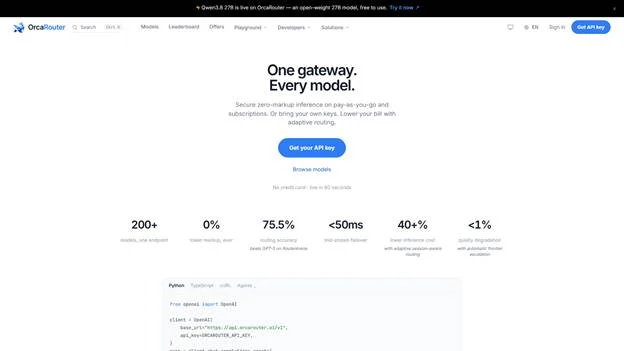
A worked example
Concretely: a support bot receives a question. The router checks the rules — classification and retrieval can use a cheap model — so it routes to the economical option. The request is a follow-up needing deeper reasoning, so a rule routes it to the strong model. The primary provider returns a 429, so the router fails the request over to a healthy backup. Three different model decisions, three different outcomes, all invisible to the caller, all recorded. That is what “the router decides per request” means in practice: not one smart model, but a pool and a set of rules that choose the right tool for each job, automatically.
What the record buys you
The record the router keeps is not just for accounting. It is the feedback loop that makes the routing rules smarter: when you see that a task type you assumed needed the strong model actually clears on the cheap one, you tighten the rule and the next week costs less. When you see a model you included in the pool never getting picked, you know it is not earning its place and can drop it. Routing is not set-and-forget; it is a policy you tune against the data the router produces. Teams that treat the router as a black box leave that feedback on the table; teams that read the record turn the router from a proxy into a continuously improving decision layer.
The takeaway
An AI router is a per-request decision engine: it looks at your rules, the pool of models, their prices, latency and health, and picks which one answers — then records the outcome so the rules get better. The decision lives in the router rather than in your code, which is what makes switching models a configuration change and cost control a rule rather than a project. That is the whole mechanism behind “one API, every model.”
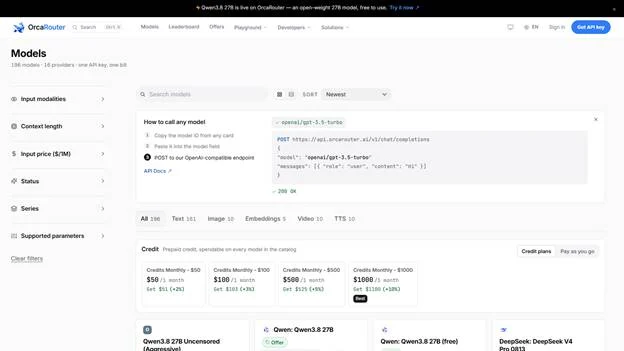
Sourcing note: this article describes the AI-router category and OrcaRouter’s implementation. Routing rules, failover, and per-call records are OrcaRouter’s own published descriptions, checked August 2026.
