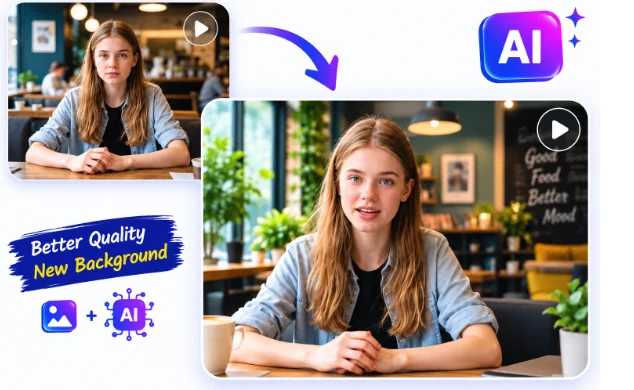
AI video and image tools have made it easier than ever to transform ordinary photos, videos, and audio into engaging digital content. From creating talking portraits and synchronized dialogue to swapping faces and generating short-form videos, creators now have access to workflows that once required specialized editing skills.
The challenge is choosing the right tool. Some platforms focus on lip sync and talking avatars, while others specialize in face swaps, AI video generation, or creative effects. Pricing models also vary considerably, from free trials and credit-based plans to monthly subscriptions.
This guide compares some of the notable AI tools available in 2026, looking at their main features, pricing, and potential drawbacks.
AI Video and Face-Swap Tools at a Glance
| Tool | Best For | Free Option | Starting Paid Price | Main Strength |
| Magic Hour | Face swaps, lip sync, talking photos, AI content creation | Yes | Creator: $19/mo or $12/mo annually | Broad AI creative workflow |
| HeyGen | AI avatars and talking videos | Yes | $29/mo or $24/mo annually | Avatars and voice-driven videos |
| Pika | Creative AI video effects | Yes | $10/mo | Effects and image-to-video |
| Runway | Advanced AI video creation | Yes | Standard: $15/mo or $12/mo annually | Generative video and editing |
| D-ID | Talking avatars and AI presenters | 14-day trial | Plans vary | Avatar-based video production |
Pricing and free allowances can change, so check the provider before subscribing.
1. Magic Hour — Best for AI Face Swaps, Lip Sync and All-in-One Creation
For creators looking for lip sync AI free capabilities alongside best AI face swap functionality, Magic Hour brings several AI video and image workflows together in one browser-based platform. It supports face swapping, lip sync, talking photos, image-to-video, video-to-video, AI editing, upscaling, and other creative tools.
One of Magic Hour’s key differentiators is that creators can access multiple AI models and workflows from one place instead of moving between separate services. Its click-to-create templates and multi-step workflows can also connect processes such as generation, upscaling, and video creation.
Another practical advantage is accessibility. Magic Hour offers free usage without requiring a credit card, and some tools can be tried without signing up. Its credits also do not expire, including unused subscription credits that roll over.
The platform is designed for both desktop and mobile workflows and provides API access, making it relevant not only to individual creators but also to developers and teams. It also emphasizes parallel generations, rapid variations, access to multiple AI models, regular feature releases, and workflows designed to handle higher-volume production.
Magic Hour Pricing
| Plan | Price | Key Details |
| Free | Free | Free credits and basic access; no credit card required |
| Creator | $19/month or $12/month billed annually | 144,000 credits/year, 1024px output, watermark-free exports, commercial use, 3 simultaneous generations, API access |
| Pro | $39/month or $25/month billed annually | 300,000 credits/year, 1472px output, watermark-free exports, commercial use, 5 simultaneous generations, API access |
Magic Hour’s current pricing page lists the Creator plan at $19 monthly or $12/month equivalent when billed annually, while Pro is $39 monthly or $25/month equivalent annually. Both paid plans include access to the platform’s AI tools, commercial use, watermark-free exports, and full API access.
Key features: Face Swap Video, Lip Sync, Talking Photo, Image-to-Video, Video-to-Video, AI Video Upscaler, AI Video Editor, AI Avatar Generator, templates, multiple AI models, API access, and parallel generation.
Drawbacks: Some advanced workflows consume credits quickly, and results can depend on the source material and selected model. Highly precise professional editing may still require a dedicated conventional video or photo editor.
2. HeyGen — Best for AI Avatars and Talking Videos
HeyGen is particularly useful for creators who want to turn scripts, images, or avatars into presenter-style videos. Its platform includes AI avatars, voice generation, voice cloning, translation, and lip-sync-related workflows.
The current individual plans include a Free option, Creator at $29/month, and Pro starting at $49/month. Creator includes 600 credits per month, videos up to 30 minutes, 1080p exports, voice cloning, and watermark removal. The annual Creator price is listed as $24/month when billed annually.
Key features: AI avatars, voice cloning, multilingual video creation, AI video generation, photo avatars, and lip-sync translation.
Drawbacks: Its credit system can make high-volume generation more expensive, while creators primarily interested in simple face swaps may find the platform broader than they need.
3. Pika — Best for Creative AI Video Effects
Pika focuses heavily on creative AI video effects and short-form visual experimentation. Its tools include Pikaswaps, Pikascenes, Pikadditions, Pikaframes, Pikatwists, and other effects designed for transforming images and videos.
Pika currently offers a Free plan with 80 monthly video credits. Its Basic plan is $10/month with 700 monthly credits, while higher tiers provide substantially more credits and faster generation.
Key features: AI video effects, image-to-video, creative transformations, Pikaswaps, Pikascenes, and multiple generation modes.
Drawbacks: Pika is more focused on creative effects than on being a comprehensive talking-avatar or lip-sync production suite. Credit consumption can also vary significantly depending on the effect and model.
4. Runway — Best for Advanced AI Video Workflows
Runway is aimed at creators who need a broader AI video-generation and editing environment. Its platform supports multiple image and video models, video generation, editing workflows, generative audio, and lip-sync-related features.
Runway’s current plan structure includes Free, Standard, Pro, Max, Team, and Enterprise options. The Pro plan includes 2,250 monthly credits, 500GB of asset storage, Custom Voices, Text to Speech, and access to all AI image and video models available through Runway.
Key features: Generative video, AI editing, multiple models, text-to-speech, custom voices, image generation, and professional creative workflows.
Drawbacks: Its credit-based system requires creators to monitor usage carefully. Some higher-end features are also aimed more at users producing content regularly rather than someone who only needs occasional face swaps or talking images.
5. D-ID — Best for Talking Avatars and Presentations
D-ID specializes in AI-generated presenter videos and talking avatars. Users can combine an avatar or image with a script, voice, and language to produce videos without recording a conventional presenter.
D-ID offers a 14-day trial, while its paid plans provide increasing levels of credits and functionality. Its API plans include options ranging from a trial through Build, Launch, Scale, and Enterprise, with commercial functionality available on higher plans.
Key features: Talking avatars, personal avatars, voice cloning, AI presenters, video translation, and API access.
Drawbacks: Trial output includes a watermark, and unused credits do not carry over from one billing period to the next.
How We Choose These Tools
The tools in this list were considered based on several practical factors rather than a single feature. We looked at the range of AI video and image capabilities, availability of free access, published pricing, ease of use, creative flexibility, and suitability for digital content production.
We also considered whether a platform supports more than one workflow. For example, a creator may begin with a face swap, add lip sync, upscale the result, and then turn it into a finished social video. Platforms that connect multiple stages can reduce the need to move files between different applications.
Pricing was checked against publicly available provider information, but AI platforms frequently change plans, credits, models, and usage limits. Users should therefore verify current pricing before purchasing.
FAQs
What is AI lip sync?
AI lip sync uses artificial intelligence to synchronize a person’s mouth and facial movements with spoken audio. Depending on the tool, the input can be an existing video, photograph, avatar, or generated character.
Can I try AI lip sync tools for free?
Yes. Several platforms offer free plans or trials. Magic Hour provides free access with starter credits and says a credit card is not required to try its free plan. Some Magic Hour tools can also be used without signing up, subject to their individual allowances.
Which tools can perform AI face swaps?
Magic Hour and Pika both offer face-related transformation capabilities, while other platforms may provide related avatar or video-transformation features. The exact workflow and supported inputs vary between services.
Are AI face swaps suitable for professional content?
They can be useful for entertainment, advertising concepts, social content, visual experiments, and other legitimate creative applications. However, creators should have appropriate rights and permission when using another person’s likeness and should avoid misleading or deceptive uses.
Do Magic Hour credits expire?
Magic Hour states that unused credits roll over and do not expire. Its pricing page also lists one-time credit packs whose credits do not expire.
Which tool should I use for AI video creation?
The choice depends on the workflow. A creator working across face swaps, lip sync, talking photos, image generation, and video editing may prefer an all-in-one platform. Someone focused primarily on AI presenters may prefer an avatar-focused service, while creators interested in experimental visual effects may prefer a dedicated effects platform.
Conclusion
AI video and image creation has become much more accessible in 2026, with platforms covering everything from face swaps and lip synchronization to talking avatars and generative video. Magic Hour combines several of these workflows in one environment, while HeyGen focuses strongly on avatars and presentation videos, Pika emphasizes creative effects, Runway provides a broader professional AI video environment, and D-ID specializes in talking-avatar production.
Before choosing a platform, consider the type of content you produce, the AI models and workflows you need, how many generations you expect to make, and whether commercial use or API access is important. Comparing those factors alongside the current pricing can help you select a tool that fits your production workflow.
