
Product comparison videos educate consumers about the differences prior to making purchases. They integrate features, specifications, prices, and use cases into a single visual experience. When it comes to manual production, there is research, scripting, recording, editing, formatting, and a number of revisions. Pippit makes this process easy by converting prompts and product assets into organized side-by-side videos. This helps to decrease repetitive setup activities.
Why Product Comparison Videos Have Become Essential Content
When evaluating features, comparison videos help to organize the information in a visual format. Viewers can easily compare performance, design, functions, dimensions, and other relevant factors. Showing each product in the same categories allows for a more objective viewing experience. Important differences are also more easily noticed on consistent layouts. Differences are easier to understand if they are demonstrated visually rather than just specifying them. When a comparison requires a presenter element, a talking photo can help tell the story of the product. Side-by-side visuals allow viewers to see the differences without having to flip back and forth between product pages. This format also allows for multi-platform strategies as one comparison can be a few shorter clips. It also prepares reusable source material.
Planning an Effective Product Comparison Before Video Generation
First, determine what viewers should use the comparison to decide. Comparing cameras could involve aspects like image quality, stabilization, battery life, and lens options. Make sure that the products selected are in some way similar, and the comparison is relevant. List the features under categories like design, performance, usability, connectivity, and price. Collect clear product images, product demonstrations, product specifications, logos, and other footage in advance of generation. Apply quality materials that are clearly associated with each product. Use the same framing, backgrounds, labels, and timing for visual treatment. Pippit can use these inputs as references for the creation of the comparison structure. Clear inputs can also help to improve consistency between scenes.
Steps to Create Product Comparison Videos Automatically with a Video Agent
Step 1: Build your comparison project
- Sign up for Pippit with your Google, TikTok, or Facebook account.
- Open “More” and choose “Video generator”.
- Select Dreamina Seedance 1.0, Dreamina Seedance 2.0, Dreamina Seedance 2.0 Fast, Dreamina Seedance 2.0 Mini, or Dreamina Seedance 2.5.
- Write a detailed prompt describing the products to compare.
- Select the video length, language, subtitles, and aspect ratio.
- Click “+” to upload product images or videos from your device, phone, Dropbox, or a link. You can also choose assets if you do not have reference media.
- Click “Generate”.
Step 2: Generate the comparison
- After clicking “Generate”, Pippit creates a comparison video from your prompt and references.
- The AI automatically manages transitions, pacing, captions, avatars, voice, lyrics, and visual enhancements.
- Review the generated draft.
Step 3: Customize and export
- Click “Download” to save the draft, “Regenerate” for another version, or “Edit more” to continue editing.
- Edit captions, add comparison text, and adjust colors, size, alignment, filters, and effects.
- Add background music, remove backgrounds, and fine-tune the visuals.
- Click “Export”.
- Select “Publish” or “Download” with your preferred format, resolution, frame rate, and quality.
Important Elements Every AI Product Comparison Video Should Include
A good comparison should include a good amount of information and be consistent in its visual organization. Include the following key components:
- Highlight feature specifications: Use concise, easy-to-read labels to highlight key specifications.
- Visual demonstrations: When direct comparison helps understanding, display products side by side.
- Comparison categories: Organize related information in groups so as not to confuse the viewer.
- Animated captions: Help to reinforce specifications and support viewers watching without sound.
- Smooth transitions: Link sections in a logical way, without detracting from the products.
- Summary segment: Summarize the key differences without exaggerating either product.
Using Pippit’s AI Features to Enhance Product Comparisons
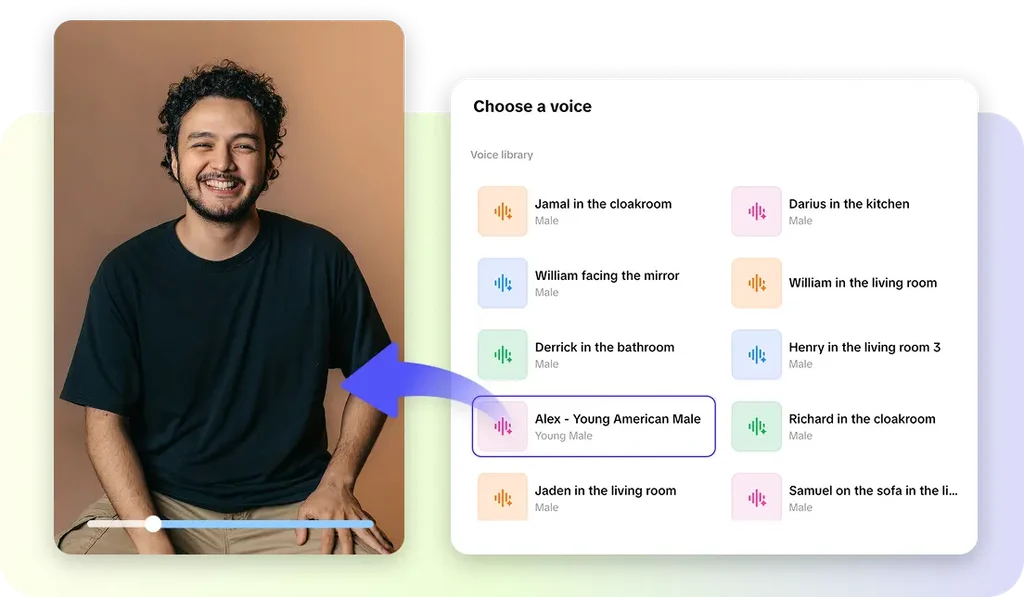
With several AI-assisted video creation features, Pippit video agent supports comparison videos. Product information and references can be converted into sections with AI-generated scenes. Automatic captions provide specifications and enhance accessibility in all situations. Differences can be explained through voice narration and do not need a recorded presenter. Where a human presence makes sense, AI avatars can showcase products or add comparison sections. Scenes can be linked together with motion effects and transitions, and at the same time, visual continuity can be preserved. Visual enhancement tools allow for effects, filters, background changes, and other editing controls to enhance the presentation.
Customizing Comparison Videos for Better Presentation
Customization ensures that comparison videos align with brand identity and audience expectations. Update feature labels to make sure that each specification is expressed in brief, understandable terms. Use font size, color, alignment, and text placement to create visual hierarchy. Use the same logos, typography, colors, and other design elements. Optimize pacing of complex specifications to allow for sufficient viewing time. Carefully add background music, but not too loud as to overpower important narration—select platform layouts for different viewing contexts. Vertical formats are great for short-form feeds, while wider formats are great for longer viewing and presentations.
Publishing Comparison Videos Efficiently with Pippit
Pippit can assist with structuring comparison content for key social publishing workflows. On TikTok, focus on short segments, vertical frames, easily-read captions, and a compelling hook. Instagram comparison videos can incorporate vertical layouts and brief feature summaries, which are suitable for Reels. Concise videos, with more context on Facebook, can work. With the connected account and workflow, scheduling can help ensure consistency in publishing. Verify product claims, captions, links, branding, and platform requirements prior to publishing.
Expanding Product Comparison Content into Multiple Video Formats
Several formats can be supported by one comparison project if the information is clearly structured. One key difference can be shown in a short-form comparison clip in seconds. Detailed feature breakdowns can look at the performance, usability, design, or technical specs individually. Promotional comparison videos can highlight the benefits of a product without making any false assertions that cannot be substantiated. How competing products function during certain tasks can be demonstrated in a product demonstration video. Educational Buying Guides can detail the features that are important for various applications.
Conclusion
AI-powered video generation can streamline product comparison video production, from concept to publication. Pippit integrates generation, editing, customization, exporting, and social publishing in a single workflow. Clearer comparison content is achieved through structured prompts and reliable product assets. Specifications, claims, visuals, and brand consistency are areas where manual review is still significant. Comparison videos can convey significant differences without inundating the viewer if they are carefully planned. This helps to make product research into content that’s informative and visually organized for modern multi-platform marketing.
